30 Best iPad Accessories
30 Best iPad Accessories
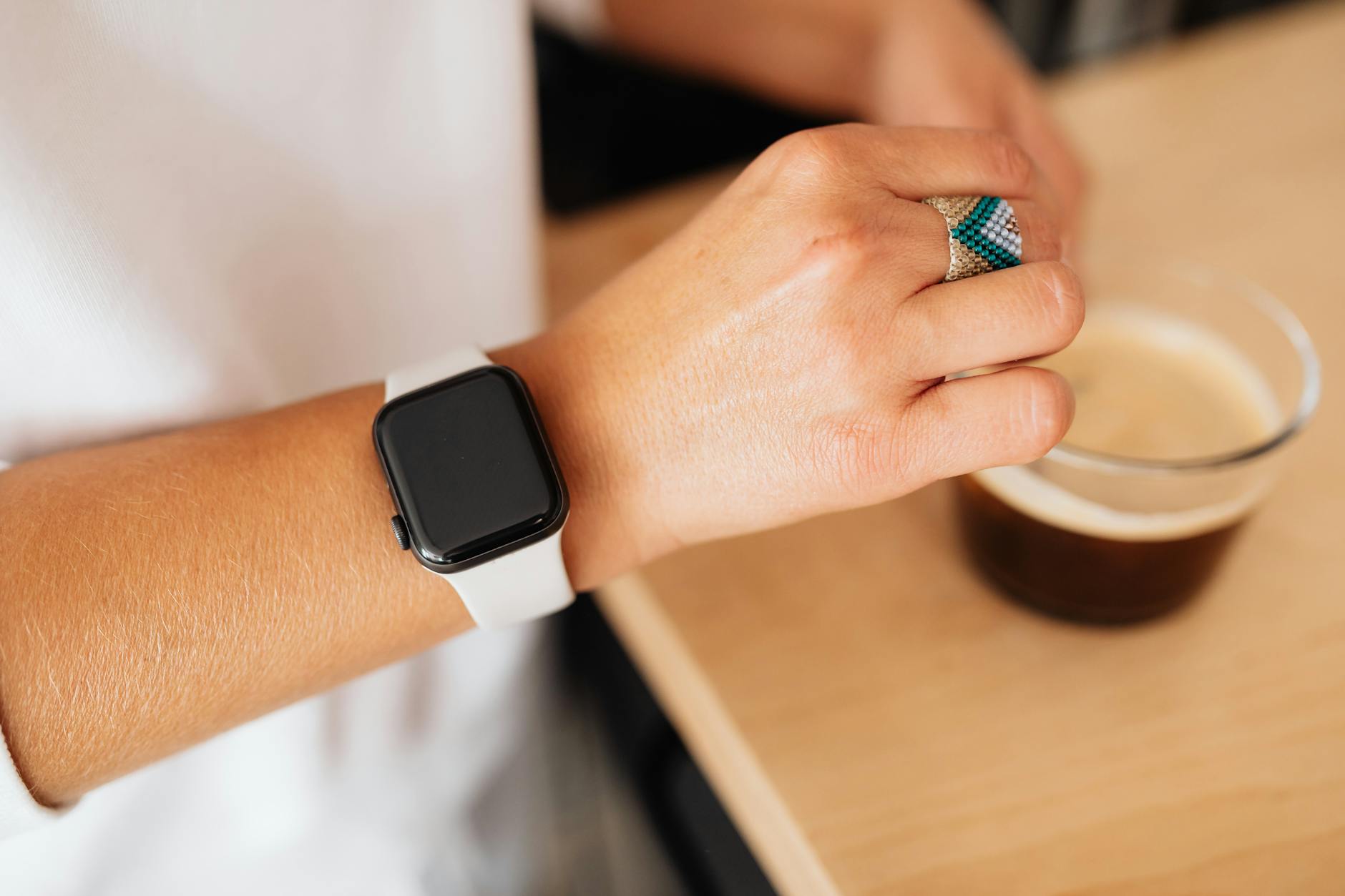
So, you’re trying to decide between an Oura Ring and an Apple Watch. It feels like comparing a quiet librarian to a personal assistant who also runs marathons. They both track your health, but they couldn’t be more different in how they do it or what they expect from you.
This isn’t just about features; it’s a lifestyle choice. Do you want a device that silently collects data in the background, or do you want a screen on your wrist that’s connected to your entire digital life? I’ve used both extensively, and the answer really depends on what you’re trying to fix or improve.
Let’s break down this Oura Ring vs. Apple Watch showdown to see which one actually makes sense for you in 2026.
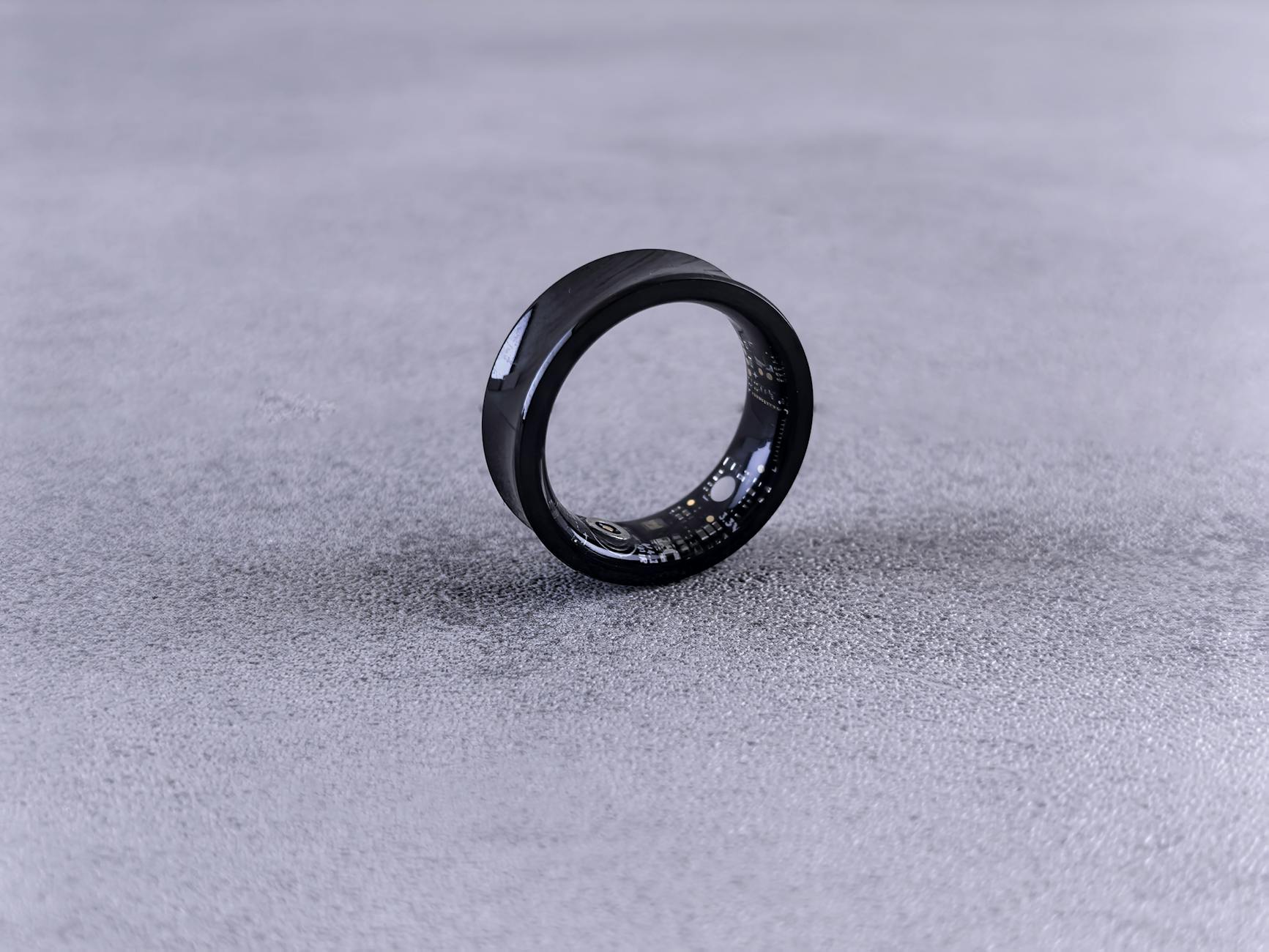
The Oura Ring is a tracker disguised as a minimalist piece of jewelry. It has no screen, no buttons, and no vibrations. Its entire job is to measure three things with incredible accuracy: your sleep, your activity, and your body’s readiness for the day ahead.
You wear it 24/7, and it uses sensors that are way more sensitive than most wrist-based trackers, especially for heart rate and body temperature. The whole experience happens inside the Oura app, where it translates raw data into simple, actionable scores. It’s for the person who wants insights without the constant notifications.
The Apple Watch is a powerful smartwatch that also happens to be a very capable health tracker. It’s an extension of your iPhone, strapped to your wrist. It handles notifications, lets you take calls, stores music, and runs thousands of apps.
Its health and fitness features are robust, from ECG and blood oxygen monitoring to detailed workout tracking with GPS. Closing your rings becomes a daily obsession for many. It’s for the person who wants one device that does everything, from paying for coffee to tracking a 10k run.
This is Oura’s entire reason for being, and it flat-out wins. Because it’s on your finger, its sensors get a clearer signal from the arteries than a watch on your wrist. This means its heart rate variability (HRV) and body temperature data are exceptionally accurate, which is the foundation of a good recovery score.
The Oura app’s “Readiness Score” is brilliant. It tells you if you should push hard in a workout or take it easy based on your sleep quality and recent strain. The Apple Watch tracks sleep, and it’s gotten better, but its data and recommendations don’t feel as deep or personalized. My Oura Ring review takeaway is simple: if sleep is your number one priority, this is your device.
The Apple Watch is the undisputed champion here. It’s an active workout partner, while the Oura Ring is a passive observer. The Apple Watch has built-in GPS, a bright screen to show real-time stats like heart rate and pace, and dozens of specific workout modes.
Oura tracks your steps and general activity, and it can automatically detect some workouts like walking or running after the fact. But it’s not something you use *during* exercise. It’s a great accountability tool for daily movement, but for serious athletes or data-driven runners, the Apple Watch is in a different league.
This isn’t even a fair fight. The Apple Watch is a full-blown computer on your wrist. You can read texts, control your music, use Apple Pay, navigate with maps, and so much more. It’s designed to keep you connected and reduce how often you pull out your phone.
The Oura Ring has zero smart features. It doesn’t buzz, beep, or display anything. For many users, that’s the whole point. It’s a tracker, not a distraction. If you’re trying to spend less time looking at screens, Oura’s approach is a huge plus.
The Oura Ring is sleek, discreet, and comfortable enough to forget you’re wearing it, which is critical for 24/7 wear and sleep tracking. It comes in a few different finishes to match your style. The battery also lasts a solid five to seven days on a single charge.
The Apple Watch is, well, a watch. It’s a screen on your wrist. While it’s well-designed, it’s not subtle. The biggest pain point is the battery, which you’ll need to charge every day or two. That means finding a charging window that doesn’t interfere with sleep tracking, which can be annoying.
The Apple Watch has a higher upfront cost, starting around $399 and going way up from there. But once you buy it, the core health and activity features are free. You might pay for an app or Apple Fitness+, but it’s optional.
The Oura Ring is cheaper to buy, usually around $299. But here’s the catch: to unlock its full potential and get the detailed analysis you’re paying for, you need a $5.99 monthly subscription. Without it, you only see basic daily scores, which makes the ring feel pretty pointless. This recurring cost is a major factor to consider.
After weeks of testing, this Oura Ring review comes down to a simple question: what problem are you trying to solve? They serve two very different masters.
If you want the absolute best sleep and recovery data on the market and you value disconnecting from screens, the Oura Ring is for you. It’s a passive health instrument that gives you powerful insights to guide your days. You’ll learn about your body’s rhythms in a way no other wearable can teach you, as long as you’re cool with the monthly fee.
If you want an all-in-one device that’s a fitness powerhouse, an extension of your phone, and a pretty good health tracker, get the Apple Watch. It’s the ultimate active companion for workouts, daily communication, and convenience. Its sleep tracking is good enough for most people who just want a general idea of their patterns.
30 Best iPad Accessories
9 Best Ring Lights
5 Best AirPods Max Dupes
7 Best Juicers
Leave a Reply